Shoaib
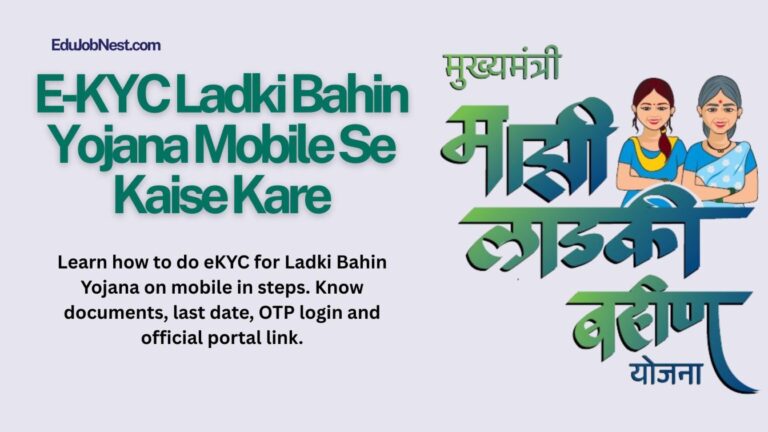
E‑KYC Ladki Bahin Yojana Mobile Se Kaise Kare 2026: Launched by the Maharashtra government, Mukhyamantri Majhi Ladki Bahin Yojana (popularly called “Ladki Bahin Yojana”) gives eligible women ₹1,500 per month directly into their bank accounts via DBT. This support is now linked to Aadhaar‑based e‑KYC, which every beneficiary must complete online—usually from a mobile phone.
If you search “e kyc ladki bahin yojana mobile se kaise kare”, this guide will tell you everything in simple, step‑by‑step language, including screenshots‑style steps even though you’re reading a text blog.
Also Read: Sukanya Samriddhi Yojana Calculator 2026: Now Your Plan Daughter’s Future
E‑KYC Ladki Bahin Yojana Mobile Se Kaise Kare
What Is Ladki Bahin Yojana e‑KYC?
The Ladki Bahin Yojana e‑KYC is an online Aadhaar‑linked verification process that connects your:
- Aadhaar card
- Bank account
- Mobile number
- Basic personal details
to the official Ladki Bahin scheme portal.
Once you complete e‑KYC, the government can:
- Confirm you are a real, eligible woman
- Ensure ₹1,500 is sent to the correct bank
- Prevent fraud and duplicate beneficiaries
Without e‑KYC done on time, the monthly ₹1,500 instalment may be stopped or withheld.
Why e‑KYC Has Been Made Mandatory
The Maharashtra government has made e‑KYC compulsory for all Ladki Bahin Yojana beneficiaries to:
- Improve transparency and accountability
- Stop fake or duplicate claims
- Ensure only genuinely eligible women continue receiving the ₹1,500 monthly benefit
This is also why the government issued a Government Resolution (GR) and added a dedicated e‑KYC section on the official website.
Eligibility for Ladki Bahin Yojana
e‑KYC is only for already registered Ladki Bahin beneficiaries, but it helps to know the basic eligibility:
- Woman citizen of Maharashtra, aged 21–65 years
- Annual family income up to ₹2.5 lakh
- Must have:
-
-
Aadhaar card
-
Active mobile number linked to Aadhaar
-
Valid bank account (preferably with Aadhaar‑linked debit card)
-
If you are not sure whether you are registered, first check your status on the official portal before starting e‑KY(rect)CSS].
Documents Required for e‑KYC
You don’t need to upload many files, but keep them handy on your phone or wallet:
- Aadhaar card (card or m‑Aadhaar screenshot)
- Signed bank passbook / cancelled cheque or NEFT‑enabled bank details
- Mobile phone with active internet and correct SIM (the same number linked to Aadhaar)
No extra income or caste certificates are needed just for e‑KYC, though earlier scheme registration may have required them.
e‑KYC Ladki Bahin Yojana Mobile Se Kaise Kare – Step‑by‑Step
Follow these steps on your smartphone (Android or iPhone) to complete e‑KYC for Ladki Bahin Yojana.
Step 1: Open The Official Website on Mobile
- Unlock your phone and open Google Chrome (or any browser).
- In the URL bar, type exactly:
-
-
https://ladakibahin.maharashtra.gov.in
-
-
Tap Go / Enter.
-
On the homepage, look for the “e‑KYC” button/banner and tap it.
Now your browser will open the e‑KYC page written as:
https://ladakibahin.maharashtra.gov.in/ekyc
Step 2: Enter Aadhaar Number and Captcha
On the e‑KYC page you will see:
- A box for Aadhaar number
- A small captcha code (letters/numbers shown in an image)
Do this:
- Carefully type your 12‑digit Aadhaar number.
- Read the captcha text carefully and type it in the Captcha box.
- Tick the box that says “I agree to Aadhaar authentication” or similar.
- Click “Send OTP” or “Proceed”.
Step 3: Enter OTP On Mobile
- The system will send a One‑Time Password (OTP) to the mobile number linked with your Aadhaar.
- Open your phone’s message inbox (or offline‑mode OTP apps if you enabled that in UIDAI).
- Enter the 6‑digit OTP in the box on the website.
- Click “Submit”.
If the OTP does not arrive within 1–2 minutes:
- Check whether your SIM is working and you have Aadhaar‑linked mobile service.
- Try again; the portal usually allows a few retries.
Step 4: Auto‑Fetch Aadhaar Details
After successful OTP, the system will:
- Verify your Aadhaar
- Automatically fill your name, Aadhaar number, and registered mobile
- Show a bank details section where you need to confirm your account
You may see fields like:
- Name as per Aadhaar
- Aadhaar number
- Mobile number on Aadhaar
- Bank account number
- IFSC code
Double‑check these before proceeding. If any detail is wrong, you can usually edit or correct it on the same page (depending on the latest update).
Step 5: Link Bank Account (DBT Check)
For Ladki Bahin payments, the scheme uses Direct Benefit Transfer (DBT) to your bank.
On the same e‑KYC page:
- Enter your bank account number carefully.
- Type the correct IFSC code (you can copy this from net‑banking or your passbook).
- Re‑enter account number if asked.
- Click “Verify” or “Save details”.
If the bank data does not match Aadhaar or your account, the portal will show an error message. In that case, verify:
- Account number
- Spelling of name
- IFSC
Step 6: Final Confirmation And e‑KYC Completion
Once bank verification passes:
- The portal will show a confirmation message that your e‑KYC is accepted.
- You may see a reference number or transaction ID; note it down or take a screenshot.
At this point, your e‑KYC Ladki Bahin Yojana mobile se kaise kare process is complete. The government can now safely continue sending ₹1,500 per month to your account.
How To Check If e‑KYC Is Done (Status)
You can check whether your e‑KYC is already completed:
- Open the main portal:
https://ladakibahin.maharashtra.gov.in - Look for a section like “Check e‑KYC Status” or “Beneficiary Status”.
- Enter your Aadhaar number and Captcha.
- If successful, the page will show:
-
-
“e‑KYC Completed”
-
Last completion date
-
Next annual renewal date (e‑KYC repeats yearly)
-
Save a screenshot of this page on your phone for future reference.
If Your Account Is Locked / “Unlock Your Account” Page
Sometimes users see an error like:
- “Account locked”
- “Maximum OTP attempts exceeded”
- “Try again later”
In such cases, visit the dedicated help page:
https://ladakibahin.maharashtra.gov.in/unlock-your-account
Here you can:
- Follow on‑screen instructions
- Enter Aadhaar number again
- Sometimes request a manual unlock or support ticket
If you cannot fix it online, you can:
- Call the toll‑free helpline (state authorities have announced a number like 181 for Ladki Bahin support)
- Visit your local taluka office / Anganwadi centre, where staff can help complete e‑KYC without requiring you to do everything on your own mobile.
Important Deadlines And Renewal
Over time, the government has extended the e‑KYC deadline to avoid hardship for women with technical issues.
Check the latest deadline here:
https://ladakibahin.maharashtra.gov.in- Or news portals like NDTV, Maharashtra Times, or The Hindu which explain the e‑KYC time limit and status‑check facility.
Moreover, e‑KYC is not a one‑time job. The Government Resolution says beneficiaries must complete e‑KYC every year to keep receiving ₹1,500 monthly.
Common Mistakes To Avoid During e‑KYC
When doing “e kyc ladki bahin yojana mobile se kaise kare”, many women make avoidable errors:
If you are helping an elderly woman, open the official site yourself, read aloud each box, and patiently guide her through OTP entry.
Tips For Trouble‑Free e‑KYC On Mobile
To make the process smooth:
-
Use good internet
-
Prefer Wi‑Fi or 4G/5G instead of slow 2G.
-
-
Clear browser cache
-
Open Chrome → Settings → Clear browsing data → Cached images and files.
-
-
Disable pop‑up blockers
-
Some OTP pop‑ups may be blocked by default.
-
-
Keep your Aadhaar card / mobile handy
-
You may need to re‑enter OTP or Aadhaar more than once.
-
If the page “freezes” or shows an error, refresh and retry rather than closing the browser and starting from scratch.
Where To Get Help For e‑KYC Issues
If you are stuck while doing “e kyc ladki bahin yojana mobile se kaise kare”, you have several options:
- Official helpline / support page
-
-
https://ladakibahin.maharashtra.gov.in/unlock-your-account
-
- Toll‑free number
-
-
State authorities have launched a 181 helpline for Ladki Bahin and related help.
-
- Local offices
-
-
Visit your women & child development office, taluka office, or Anganwadi centre for in‑person support.
-
Official Website And Key Links
Before starting, please note the correct official address:
- Main portal:
https://ladakibahin.maharashtra.gov.in - e‑KYC page:
https://ladakibahin.maharashtra.gov.in/ekyc - Account unlock / help section:
https://ladakibahin.maharashtra.gov.in/unlock-your-account
Always open these links from your mobile browser (Google Chrome, Firefox, etc.) and never fill your Aadhaar or OTP on any third‑party or fake site.
Frequently Asked Questions (FAQ)
1. Can I do e‑KYC Ladki Bahin Yojana on mobile only?
Yes, the entire process is designed for mobile phones. You only need: Aadhaar, registered mobile, bank account, and a working internet connection.
2. What happens if e‑KYC is not done on time?
If e‑KYC is not completed before the deadline, the government may stop your ₹1,500 monthly instalment until you complete the verification.
3. Do I need to do e‑KYC every year?
Yes. As per the Government Resolution, beneficiaries must re‑do e‑KYC annually to continue receiving benefits.
4. Is there any fee to complete e‑KYC?
No. The e‑KYC process on the official Ladki Bahin portal is 100% free. Avoid any third‑party website that asks for “fee” or “service charges” to complete KYC.
5. How to know if my e‑KYC is already done?
Go to the official portal and use the “e‑KYC status check” / “beneficiary status” section. Enter your Aadhaar to see whether your e‑KYC is accepted and when it was last done.
Final Thoughts – Complete e‑KYC Soon
If you are a Ladki Bahin Yojana beneficiary, completing e‑KYC is no longer optional—it is essential to keep receiving ₹1,500 every month. By following the steps above, you can perform “e kyc ladki bahin yojana mobile se kaise kare” safely, without visiting any third‑party website.
Use this article as a step‑by‑step guide on your phone, bookmark the official links, and share it with other women in your family or village so they can also complete their e‑KYC on time.
About the Author